Quick start
This page builds up from the simplest possible worker to something useful. Every snippet below is complete and runnable.
1. A worker in a file
A worker is a self-contained piece of JavaScript that runs on another thread. You normally write it in its own file:
// This code runs on ANOTHER thread, in its own JS runtime.
self.onmessage = (e) => {
  const result = e.data * e.data;   // pretend this is expensive
  self.postMessage(result);
};
Load it by relative path and talk to it from your app:
import { Worker } from '@ammarahmed/react-native-workers';

const worker = new Worker('./workers/square'); // compiled into its own bundle

worker.onmessage = (e) => {
  console.log('got', e.data); // got 1764
};

worker.postMessage(42);
self.onmessage(inside the worker) receives messages from the host.self.postMessage(...)sends a message back.worker.postMessage(...)/worker.onmessageare the host's side.
The path is relative to the file that calls new Worker(...), and loading it needs
the one-line Babel plugin — the plugin
compiles each worker file into its own bundle.
In development, Metro serves each worker bundle — nothing to set up. For a release build the bundles are built ahead of time and shipped inside the app (Hermes bytecode, loaded by the library's own asset reader); that needs one build step, described in Bundling for release. Inline workers (next section) need no build setup at all.
Data is structured-cloned across the thread boundary — objects, arrays,
Date, typed arrays, ArrayBuffer, and cycles all work.
2. Inline snippets (for small code)
For a tiny or dynamically-generated worker, you can skip the file and pass the
source as a string — no Babel plugin needed. It's handy for one-offs, like a
helper that turns a single request/response into a Promise:
function runOnce(code, input) {
  return new Promise((resolve) => {
    const w = new Worker({ inline: code });
    w.onmessage = (e) => {
      resolve(e.data);
      w.terminate(); // free the thread when done
    };
    w.postMessage(input);
  });
}

const primes = await runOnce(
  `self.onmessage = (e) => {
     const n = e.data, out = [];
     for (let i = 2; i < n; i++) {
       let p = true;
       for (let j = 2; j * j <= i; j++) if (i % j === 0) { p = false; break; }
       if (p) out.push(i);
     }
     self.postMessage(out);
   }`,
  100000, // heavy — but it won't block your UI
);
Inline code is for small snippets; anything real belongs in a file. For a typed,
function-style API instead of hand-rolling request/response, see
defineModule.
3. Share state instead of copying it
Passing big data through postMessage copies it every time. For shared state,
use a SharedStore — one store, visible to the host
and every worker:
import { SharedStore } from '@ammarahmed/react-native-workers';

// Host
const store = new SharedStore('session');
store.set('user', { id: 1, name: 'Ada' });

// Worker (inline)
const worker = new Worker({
  inline: `
    const store = new SharedStore('session');
    self.onmessage = () => {
      const user = store.get('user'); // same data, no message needed
      self.postMessage('hello ' + user.name);
    };
  `,
});
For hot numbers use SharedValue; for bulk arrays
use SharedBuffer.
What it looks like in practice
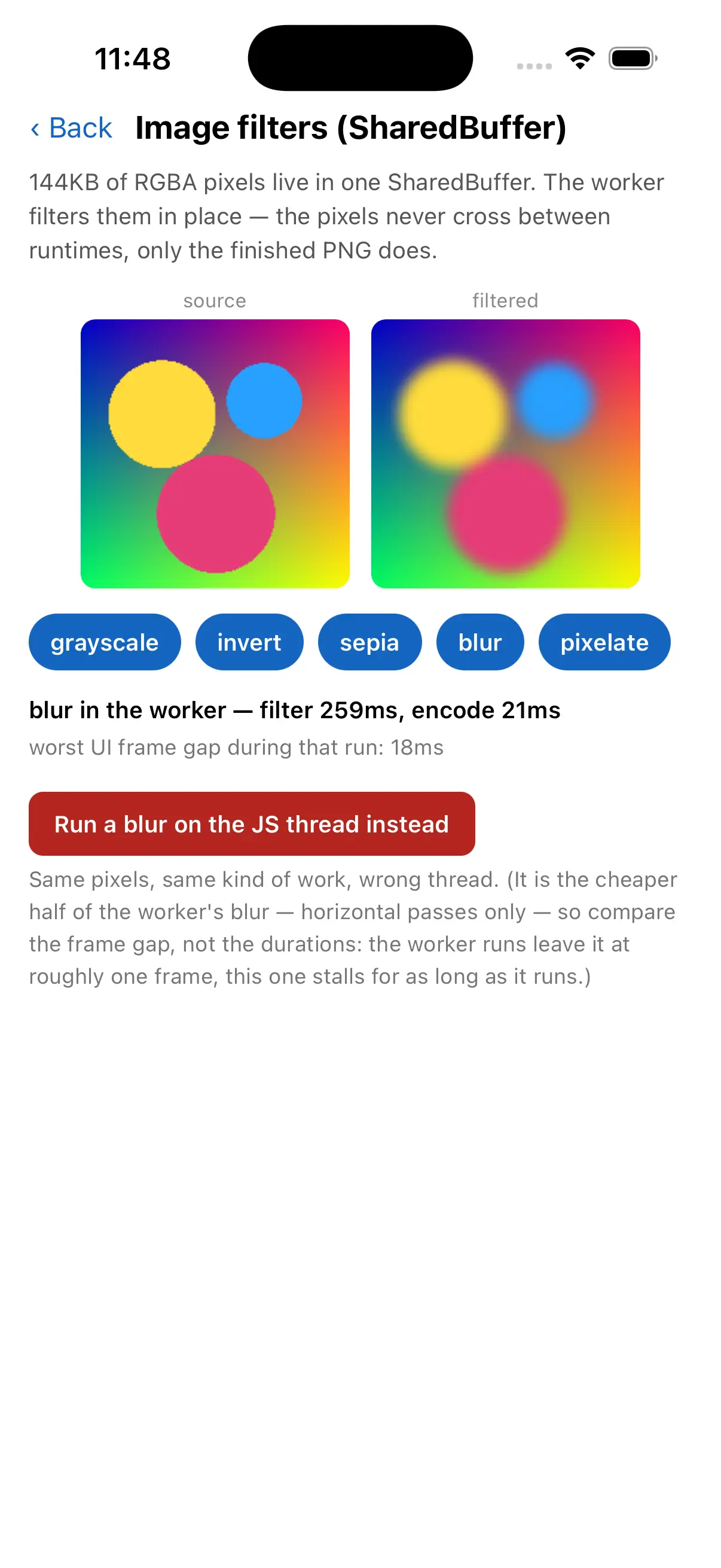
Here is that idea at full size: the image-filters example keeps a bitmap in shared memory and filters it in a worker, then reports the worst UI frame gap the run caused — one frame, for work that takes a quarter of a second.
Where to go next
- Creating workers — lifecycle, inline vs file, terminating, options.
- Messaging — what can cross the boundary and how.
- Shared data overview — choose the right primitive.
- defineModule — call worker functions like local async functions, fully typed.