Building the transfer manager
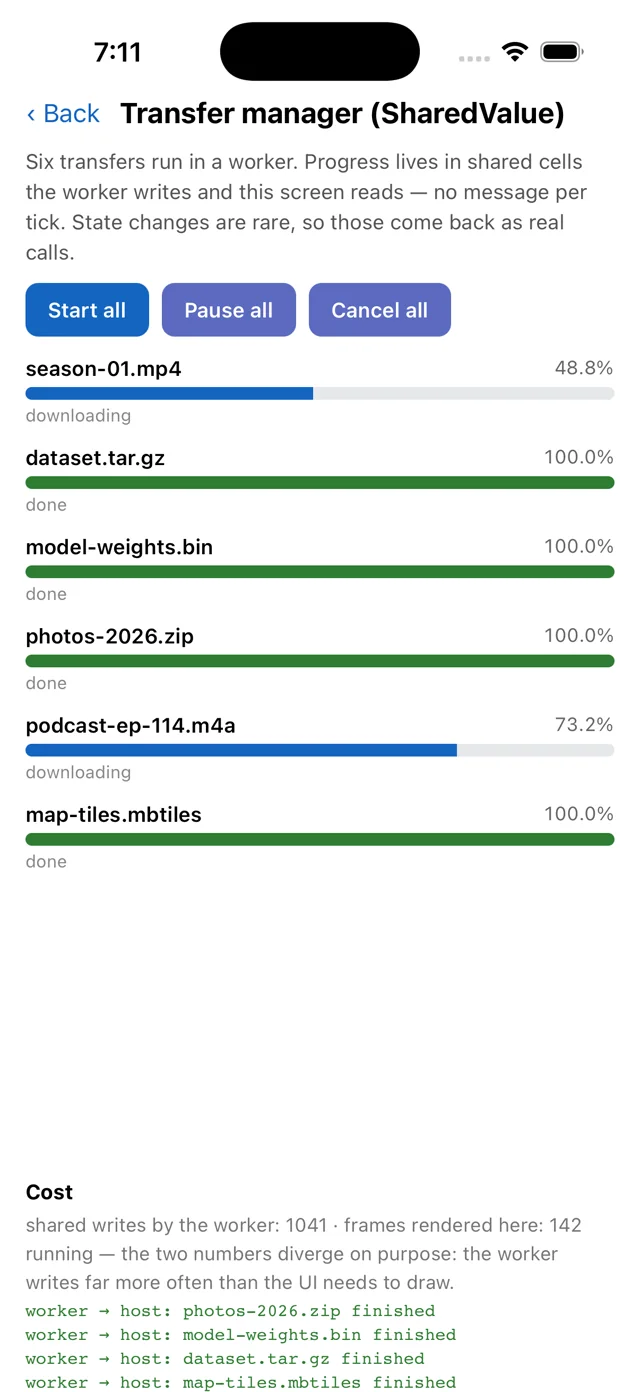
What you’ll build: six simulated downloads running in a worker, with live progress bars — where the worker writes progress far more often than the UI draws it.
The idea to take away: when a producer updates faster than the UI can render, sample the value instead of subscribing to it.
Files: example/src/workers/downloads.ts · example/src/screens/DownloadsScreen.tsx
Step 1: recognise the access pattern
Six transfers × ~120 updates/sec is ~750 writes a second. The screen redraws 60 times a second at best. Three ways to connect them:
| Approach | Cost |
|---|---|
postMessage per update | 750 messages/sec, each a clone + thread hop |
SharedValue.subscribe | 750 callbacks/sec on the JS thread, 690 of them wasted |
| Read the cell when rendering | 60 reads/sec, each a synchronous native call |
The third is what you want. The intermediate updates are not dropped — they happened, and the value you read is current. You simply never had to be told.
Step 2: keep the cells numeric
// workers/downloads.ts
const IDLE = 0, RUNNING = 1, PAUSED = 2, DONE = 3, CANCELLED = 4;

progress: new SharedValue(`${ns}:${i}:p`, 0), // 0..1000 permille
state:    new SharedValue(`${ns}:${i}:s`, IDLE),
Numeric SharedValues take a lock-free atomic path. Anything else goes
through the structured-clone codec under a lock. So progress is an integer in
permille rather than a float fraction, and state is a code rather than a string —
both deliberate.
If you find yourself storing { progress, state, name } in one cell, you have
left the fast path. Use separate numeric cells, or a SharedStore.
Step 3: let the worker own the names, the host open them
The worker creates the cells and tells the host what they are called:
create(namespace: string, count: number) {
  ns = namespace;
  for (let i = 0; i < count; i++) {
    transfers.push({
      progress: new SharedValue(`${ns}:${i}:p`, 0),
      state: new SharedValue(`${ns}:${i}:s`, IDLE),
      rate: 2 + ((i * 7) % 9),
    });
  }
  return transfers.map((t) => ({
    id: t.id, progress: `${ns}:${t.id}:p`, state: `${ns}:${t.id}:s`,
  }));
}
// host — opens the SAME cells by name. Nothing is copied.
const created = await w.module('downloads').create(ns, COUNT);
cellsRef.current = created.map((c) => ({
  progress: new SharedValue(c.progress, 0),
  state: new SharedValue(c.state, 0),
}));
Names are the only thing that crosses. Note the host generates the namespace
('dl-' + Date.now().toString(36)) so a reload cannot inherit the previous run's
progress.
Step 4: write from the worker's own clock
function tick() {
  for (const t of transfers) {
    if (t.state.value !== RUNNING) continue;
    t.progress.value = Math.min(1000, t.progress.value + t.rate);
    writes++;
    if (t.progress.value >= 1000) {
      t.state.value = DONE;
      app.module('app').onFinished(t.id); // rare → worth a real call
    }
  }
}
timer = setInterval(tick, 8);
A write is a plain assignment. No await, no message, no serialisation — and no
listener dispatch at all unless somebody actually subscribed to that cell.
Step 5: sample from the render loop
loop = setInterval(() => {
  setRows(cellsRef.current.map((c) => ({
    progress: c.progress.value,
    state: c.state.value,
  })));
}, 16);
That's the whole read side. Each .value is a synchronous read of native memory
on the JS thread.
The screen displays both counters, so the divergence is visible rather than claimed. One measured run on an iOS simulator: 1389 shared writes against 581 rendered frames. The exact ratio depends on device speed — what matters is that the first number climbs faster than the second.
Step 6: use calls for the things that are rare
Progress is sampled; completion is called:
app.module('app').onFinished(t.id);
Six calls across the whole run, each carrying meaning the UI must not miss. The split — sample the firehose, call the events — is the design.
The same applies to the write counter shown on screen: it is not shared state, so
the host fetches it with stats() a few times a second rather than every frame.
Step 7: release the cells
reset() {
  for (const t of transfers) {
    SharedValue.delete(`${ns}:${t.id}:p`);
    SharedValue.delete(`${ns}:${t.id}:s`);
  }
}
Twelve dynamically named cells per mount. Without cleanup, every visit to this
screen leaks twelve more names for the life of the process. This is exactly the
case delete() exists for.
(They are reference-counted too, so they would be freed once every handle is
dropped — delete() makes it immediate and deterministic.)
What to take away
- Sample high-frequency values; subscribe to rare ones.
- Keep hot cells numeric to stay on the atomic path.
- Pass names between runtimes, never data.
- Dynamically named cells need deleting; fixed global ones don't.
Try it
cd example && RN_WORKERS_SCREEN=downloads yarn start --reset-cache
Change the worker's setInterval(tick, 8) to 1 and watch the write count pull
further ahead while the frame count stays put — the UI cost does not change.
Next: Image filters (SharedBuffer) →